


 157
157
You can easily unregister for a class you are registered for using one of the two methods outlined below. Please be sure to cancel your registration as soon as possible if you are unable to attend, so others may be able to register.
Option 1: Use Your Confirmation Email
When you register for a class, a confirmation email is automatically sent to you.
-
Open the confirmation email you received after registering for the class.
-
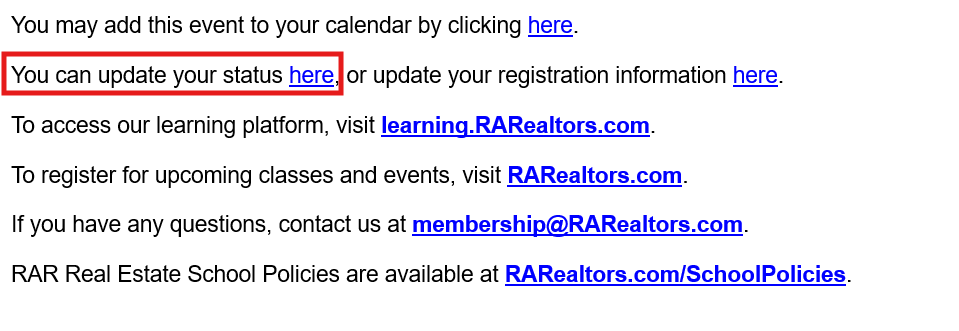
Locate the statement that reads: “You can update your status here.”
-
Click the hyperlink included in that statement.
-
Follow the prompts to cancel your registration.
Option 2: Unregister Through the Member Hub
You can also cancel your registration directly through the Member Hub.
-
Log in to the Member Hub.
-
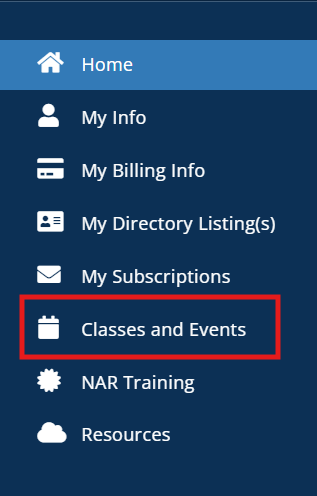
From the left-hand menu, click on “Classes and Events.”
-
Locate the class you wish to unregister from and click on it.
-
Select “Cancel Registration.”

- Once canceled, your registration will be removed from the class.
Need Help?
If you experience any issues unregistering or have questions about your registration, please email us at [email protected]
RAR Real Estate School policies are available at RARealtors.com

